The internet is very good at helping you find a recipe and strangely bad at helping you find the same recipe again three weeks later.
You bookmark one. Screenshot another. Leave six tabs open. Send one to yourself in a message with absolutely no context. Eventually you have hundreds of saved recipes and somehow still search Google from scratch every time you want to cook.
If you want to save recipes from websites properly, the goal is not just to keep the link. It is to keep the recipe findable, cookable, and connected to the original source.
First: decide what “saved” actually means
A bookmark is technically a saved recipe. So is a screenshot. So is a browser tab you have been afraid to close since February.
But a useful recipe collection should let you answer a few simple questions quickly: What was that chicken thing I liked? Can I search for it by ingredient? How many does it serve? Where did it originally come from? Can I cook from it without fighting the webpage?
If your system cannot do those things, you have probably built an archive of places recipes used to be rather than a collection you can actually cook from.
The common ways to save online recipes
Bookmarks
Bookmarks are excellent for “I might make this someday.” They are less useful once you have a few hundred of them. Titles change, folders become junk drawers, and the recipe still lives inside whatever ads, pop-ups and layout the original site uses.
Keep using bookmarks for browsing. I just would not make them the permanent home of the recipes you actually cook.
Screenshots
Screenshots feel wonderfully permanent because the recipe cannot disappear from underneath you. The problem comes later: an ingredient list split across four images, mixed into your camera roll between a parking receipt and somebody’s dog.
They are a good emergency capture. They are a terrible filing cabinet.
Print, PDF and notes
Printing still works. A piece of paper next to the stove does not dim its screen, send notifications or care that your fingers are covered in flour. Saving a clean PDF is useful too, especially for recipes you want available offline.
The trade-off is organisation. Unless you are disciplined about filenames and folders, digital printouts eventually become another pile. Notes apps are more searchable, but copying ingredients and instructions by hand gets old very quickly.
A dedicated recipe collection
If you cook from online recipes regularly, this is the point where a recipe organiser starts making sense. The important part is not having an app for the sake of having an app. It is separating the recipe you cook from from the page you discovered it on.
You get one consistent format for ingredients, servings and instructions, while keeping the original source attached for attribution, context and the day you decide you actually do want to read the author’s story.
A system that still works a year from now
You do not need an elaborate taxonomy. You need a few boring rules that you will actually keep using.
- Give recipes one permanent home. Not bookmarks and screenshots and Notes and a folder called FOOD NEW.
- Keep the original source. The person who published the recipe deserves the credit, and sometimes you will want their notes or updated version.
- Save the useful information, not just a picture of it. Ingredients and instructions should be searchable text if you want the collection to become more useful over time.
- Organise lightly. A few useful categories beat forty tags you have to maintain. Dinner, baking, favourites and “make this next” will get you surprisingly far.
- Delete the misses. A recipe box gets better when you remove the things you made once and never want to see again.
How I do it in Savor
This exact problem is why Savor has a browser inside it. When you open a recipe page, Savor looks for the actual recipe on the page and tells you when it finds one. Tap once and it rebuilds the ingredients and instructions into the same clean format as the rest of your collection.
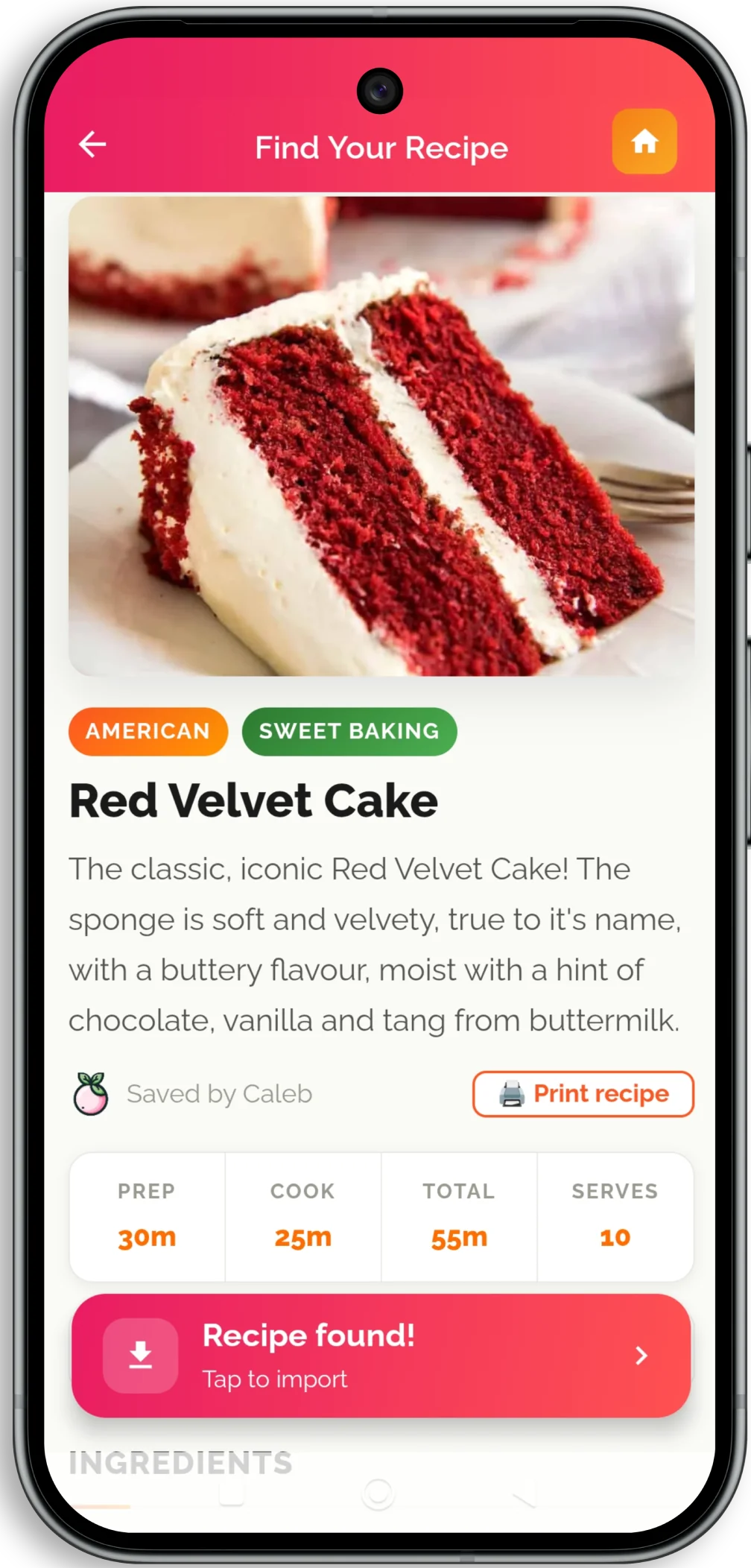
I deliberately do not think the original page should vanish. Food blogs are where recipes are discovered, tested, explained and published. The point is simply that once dinner has started, you should not have to rediscover the recipe every time you need the next step.
There is a real reason recipe sites put so much writing before the ingredients. It is more complicated — and more reasonable — than the usual internet joke suggests.
Why recipes come with a life story →The best recipe-saving system is the one you use while cooking
That is the test I would use, whether your system is an app, a binder or a terrifyingly well-maintained spreadsheet.
Can you remember roughly what you want, find it in a few seconds, and start cooking?
If yes, you have saved the recipe.
If not, you have mostly saved yourself another search.
And if the recipes you are trying to rescue live on paper rather than the web, I have a separate guide to preserving handwritten recipe cards before the originals disappear.